
63 lines
1.3 KiB
Markdown
63 lines
1.3 KiB
Markdown
# Chromadb Admin
|
||
|
||
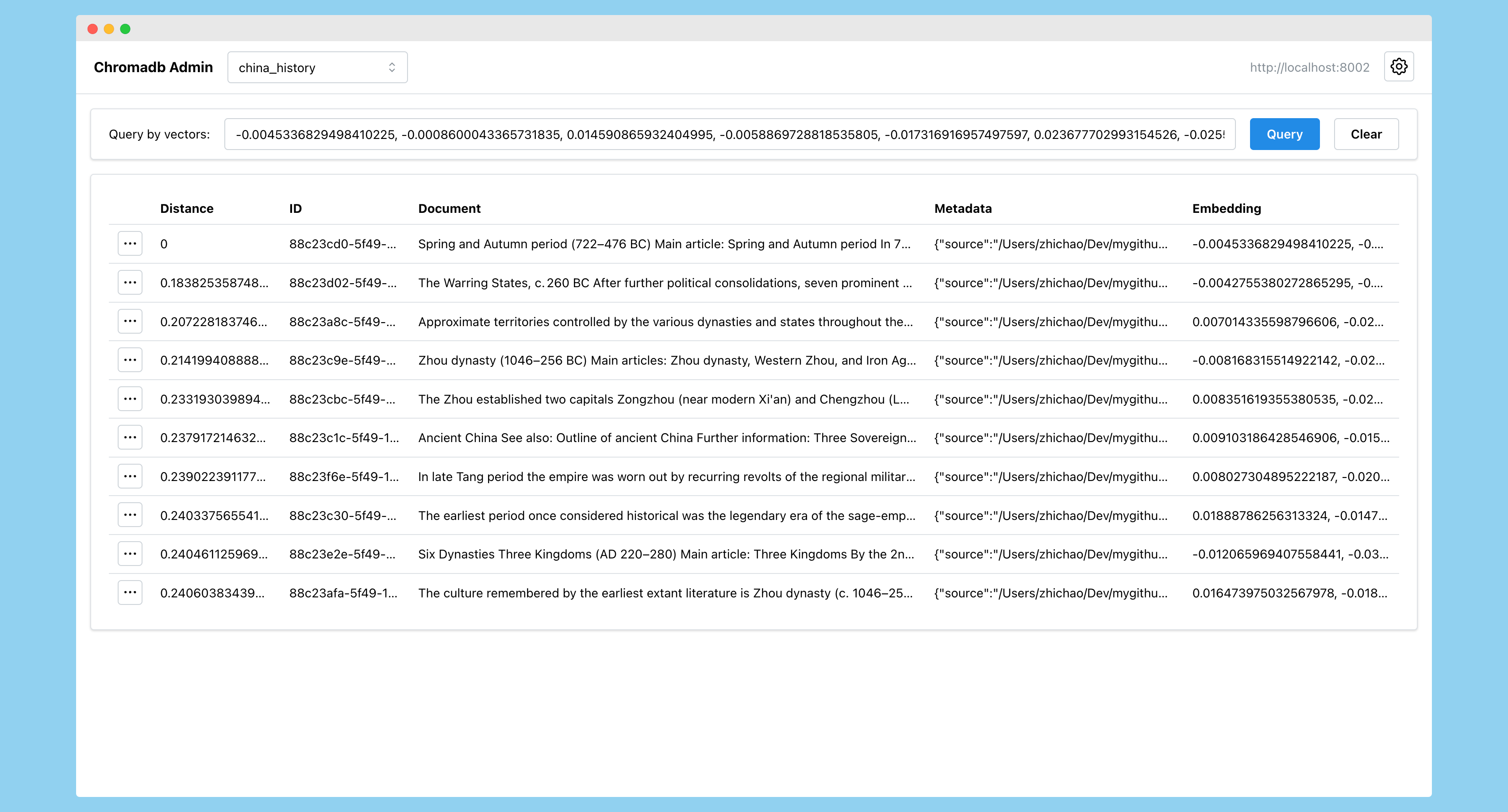
Admin UI for the Chroma embedding database, built with Next.js
|
||
|
||
|
||
|
||
## Links:
|
||
|
||
* GitHub Repo: [https://github.com/flanker/chromadb-admin](https://github.com/flanker/chromadb-admin)
|
||
* Chroma Official Website [https://docs.trychroma.com](https://docs.trychroma.com)
|
||
|
||
## Authentication Support
|
||
|
||
<img width="743" alt="image" src="https://github.com/flanker/chromadb-admin/assets/109811/c15cab9a-db80-4e2f-b732-a3bd5ef557da">
|
||
|
||
## Run Locally
|
||
|
||
First, start the development server:
|
||
|
||
```bash
|
||
npm run dev
|
||
# or
|
||
yarn dev
|
||
# or
|
||
pnpm dev
|
||
# or
|
||
bun dev
|
||
```
|
||
|
||
THen, open [http://localhost:3001](http://localhost:3001) in your browser to see the app.
|
||
|
||
## Run with Docker
|
||
|
||
Run
|
||
|
||
```bash
|
||
docker run -p 3001:3001 fengzhichao/chromadb-admin
|
||
```
|
||
|
||
and visit https://localhost:3001 in the browser.
|
||
|
||
*NOTE*: Use `http://host.docker.internal:8000` for the connection string if you want to connect to a ChromaDB instance running locally.
|
||
|
||
## Build and Run with Docker locally
|
||
|
||
Build the Docker image:
|
||
|
||
```bash
|
||
docker build -t chromadb-admin .
|
||
```
|
||
|
||
Run the Docker container:
|
||
|
||
```bash
|
||
docker run -p 3001:3001 chromadb-admin
|
||
```
|
||
|
||
## Note
|
||
|
||
This is NOT an official Chroma project.
|
||
|
||
This project is licensed under the terms of the MIT license.
|